
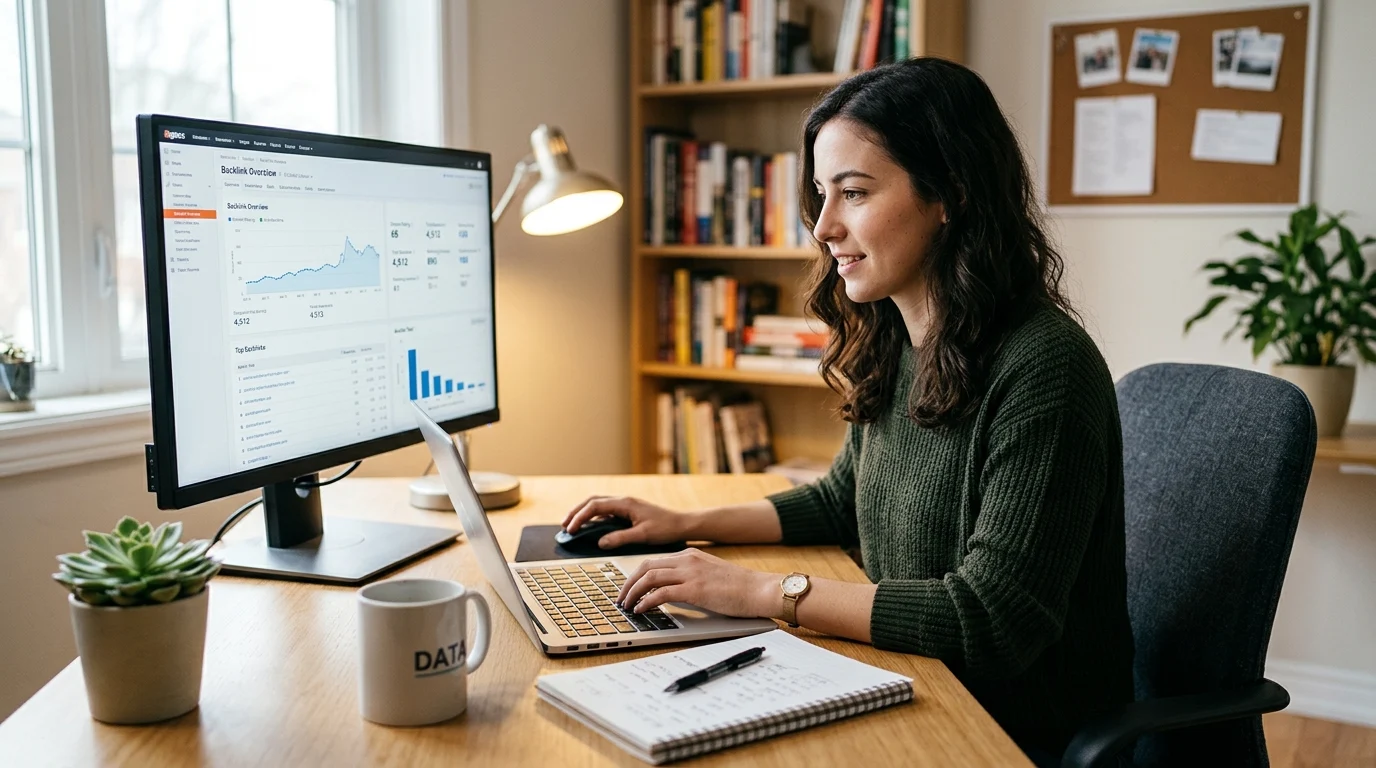
If you want to improve your website’s search engine rankings, understanding who links to your website is essential. Backlinks remain an important part of SEO because they help search engines discover content, understand relationships between websites and assess a site’s authority.
The good news is that you don’t always need an expensive SEO subscription to investigate your link profile. Several platforms offer free backlink checking features that help you discover referring domains, review linking pages, identify anchor text and investigate competitor link-building strategies.
If you want to check my backlinks free, this guide introduces seven useful tools that you can start using without purchasing an expensive SEO package.
Whether you manage a new blog, an ecommerce store or a business website, these tools can help you understand your backlink profile and identify opportunities to improve your online visibility.
What Is a Backlink Checker?
A backlink checker is an SEO tool that identifies external websites linking to a particular website or webpage.
For example, if another website publishes an article containing a link to your website, that link is considered a backlink.
A backlink checker can help you discover:
- Total backlinks pointing to your website.
- Referring domains linking to your pages.
- Anchor text used in external links.
- Dofollow and nofollow links, where reported.
- Potentially suspicious or irrelevant links.
- Competitor backlink opportunities.
If you want to develop a stronger link-building strategy, understanding these details is an important first step.
For businesses looking for professional assistance, BoostRankify’s SEO services can also help develop a structured approach to improving organic search visibility.
7 Best Tools to Check My Backlinks Free
The following seven platforms offer useful free backlink checking options. Some are designed primarily for websites you own, while others provide limited information about competitor websites.
1. Ahrefs Backlink Checker – Best for Quick Competitor Analysis
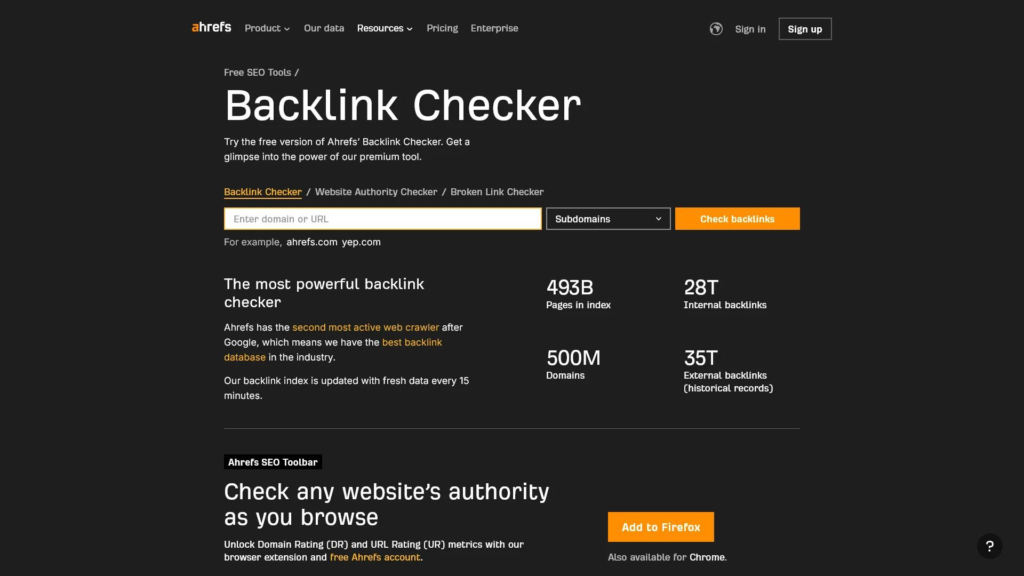
Ahrefs is one of the most recognised platforms for backlink research. Its free Backlink Checker allows users to enter a domain, URL or website subsection and review a selection of backlink information.
What you can check:
- Total backlinks.
- Referring domains.
- Domain Rating (DR).
- Ahrefs Rank.
- Top linking pages.
- Basic backlink profile information.
Why use it?
Ahrefs is particularly useful when researching competitors. You can identify websites linking to competing businesses and discover potential outreach opportunities.
If you want to check my backlinks free without creating a complicated SEO report, this is a convenient starting point.
Limitation: The free checker provides a limited preview rather than the complete functionality of the paid Site Explorer.
2. Google Search Console – Best for Your Own Website
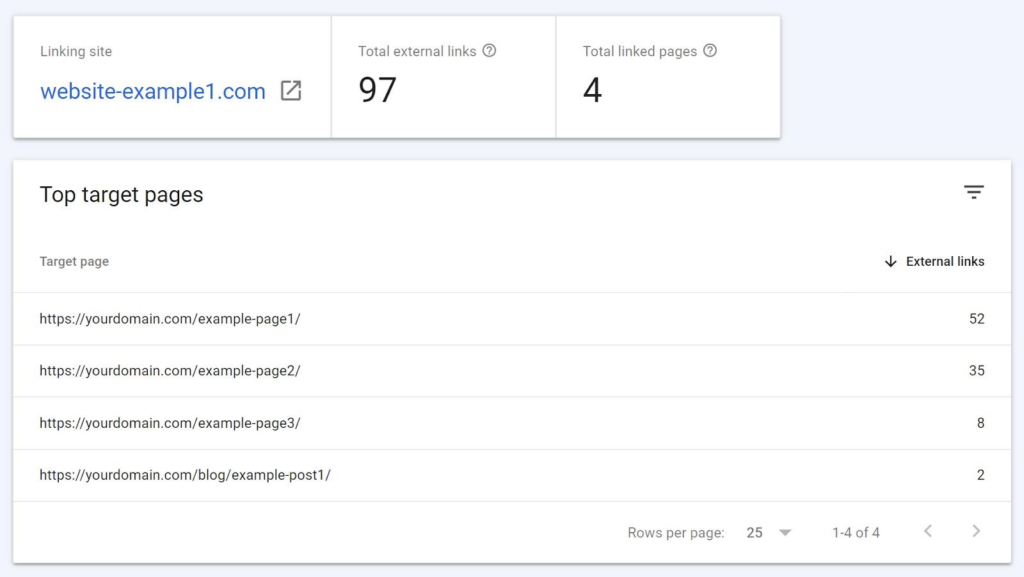
Google Search Console is an essential free platform for website owners. Unlike third-party backlink tools, it provides link information from Google’s own search systems.
To use it, verify your website and navigate to the Links section in the left-hand menu.
What you can check:
- Top linking websites.
- Top linked pages.
- Most common linking text.
- External links pointing towards your website.
- Downloadable link reports.
Why use it?
If your primary objective is to check my backlinks free for a website you own, Google Search Console should be one of your first choices.
It is particularly helpful for understanding which pages attract external links and whether your content is earning references from other websites.
Limitation: You cannot use Google Search Console to investigate competitors’ backlink profiles. Its reports also represent a sample rather than a complete list of every backlink.
3. Bing Webmaster Tools – Best for Competitor Comparison
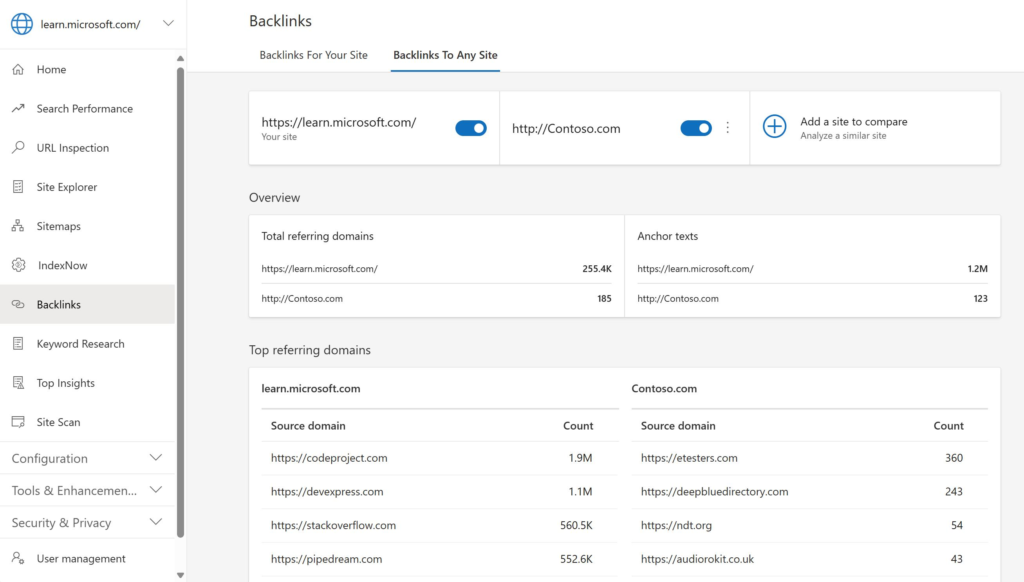
Bing Webmaster Tools is another valuable free platform that many website owners overlook.
Its Backlinks report provides information about referring domains, referring pages and anchor text. It also offers a comparison feature that lets webmasters compare their website with up to two other websites.
What you can check:
- Referring domains.
- Backlink source pages.
- Anchor text distribution.
- Pages receiving external links.
- Competitor backlink comparisons.
Why use it?
Bing is particularly useful if you want to check my backlinks free while also identifying websites linking to competing businesses.
You can use its comparison feature to discover domains that link to competitors but not to your website.
Limitation: Bing’s backlink information is based on its own index and is not a complete representation of the entire web.
4. Semrush Backlink Analytics – Best for Detailed SEO Insights
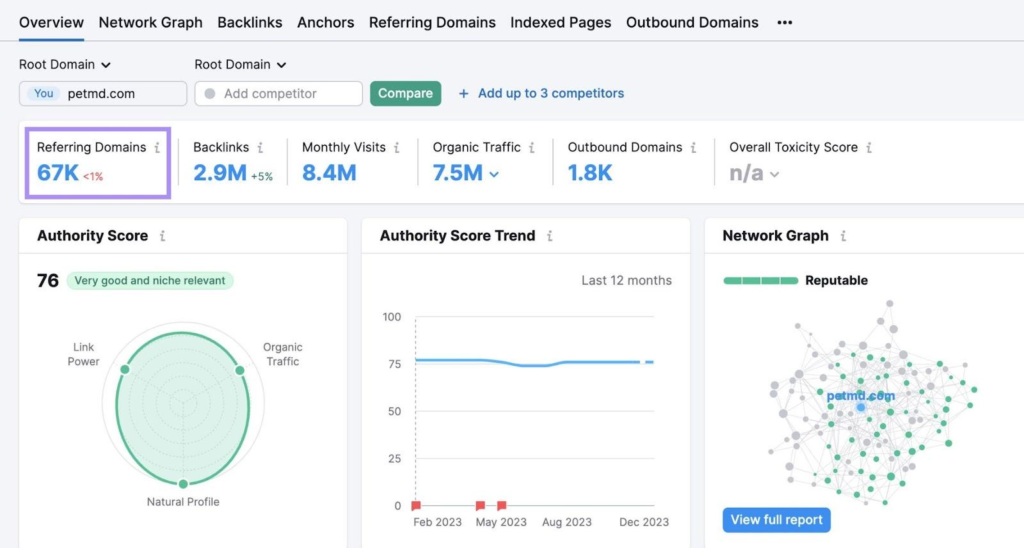
Semrush is a popular SEO platform offering backlink analysis alongside keyword research, competitor research and website auditing.
Its free access provides limited opportunities to investigate backlink profiles, making it useful for marketers who want an additional source of SEO information.
What you can check:
- Referring domains.
- Total backlinks.
- Authority Score.
- Backlink types.
- Competitor link profiles.
- Anchor text information, depending on report access.
Why use it?
Semrush is useful when you want to check my backlinks free and compare the results with other SEO platforms.
It can also help you understand how competitors attract external links and identify potential websites for future outreach.
Limitation: Free account access is restricted. Some reports, historical information and advanced analysis require a paid subscription.
5. Moz Link Explorer – Best for Domain Authority Research
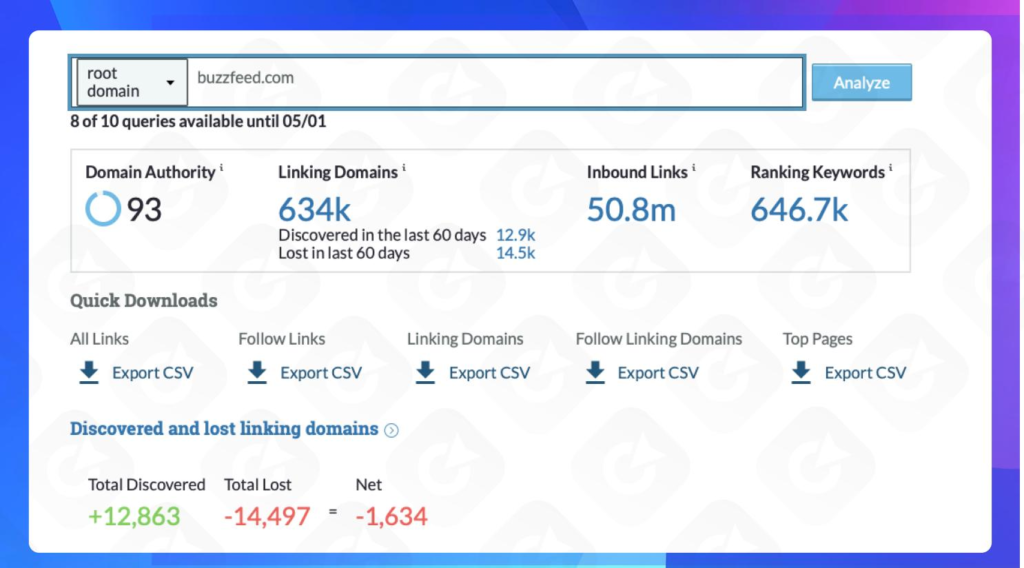
Moz Link Explorer is another established backlink analysis platform. It is particularly useful for people who want to evaluate website authority and investigate external linking opportunities.
Its free access requires an account and provides a limited number of searches.
What you can check:
- Domain Authority (DA).
- Page Authority (PA).
- Spam Score.
- Linking domains.
- Available backlink examples.
Why use it?
Moz can provide another perspective when you check my backlinks free and want to understand the strength of your website’s backlink profile.
Its Domain Authority metric is also frequently used by SEO professionals when comparing websites.
Limitation: Domain Authority is a third-party metric, not a Google ranking factor. Free searches and available backlink rows are restricted.
6. Seobility Backlink Checker – Best for Beginners
Seobility provides an accessible backlink checking tool for website owners, bloggers and SEO beginners.
You can enter a domain or individual webpage to investigate its backlink profile without purchasing a premium subscription.
What you can check:
- Total backlinks.
- Referring domains.
- Follow and nofollow links.
- Anchor text.
- Linking pages.
- Link quality indicators.
Why use it?
Seobility is a useful option if you want to check my backlinks free and understand the difference between followed and nofollowed links.
Its interface makes backlink information easier to understand for people who are new to off-page SEO.
Limitation: The free checker currently offers five checks per day. More extensive monitoring and competitor analysis require paid access.
7. SEO Review Tools Backlink Checker – Best for Quick Backlink Checks
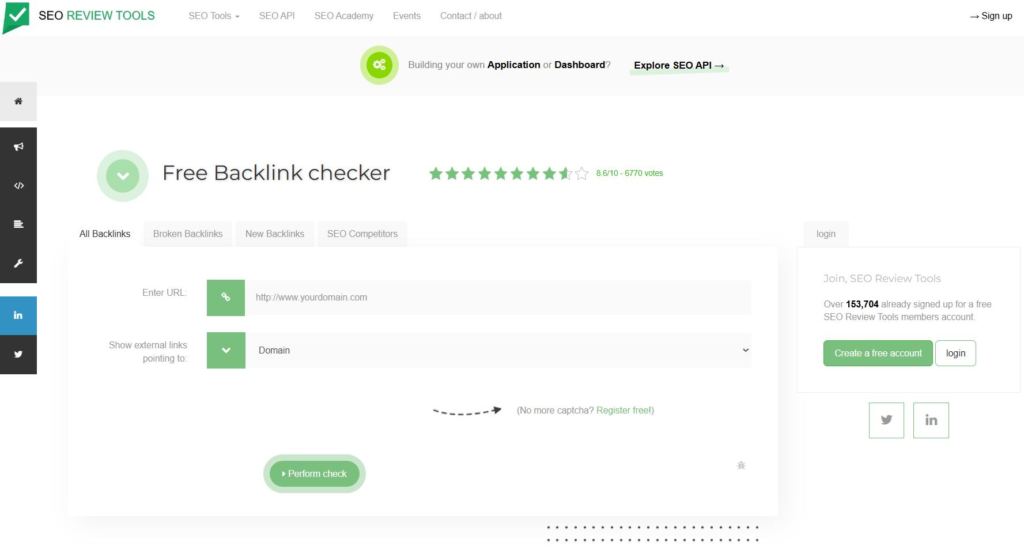
SEO Review Tools offers several free SEO utilities, including tools for backlink research and website analysis.
It is worth considering when you need a quick second opinion without setting up a comprehensive SEO account.
What you can check:
- Available backlink information.
- Linking websites.
- Backlink examples.
- Basic website SEO indicators.
Why use it?
This tool is useful for beginners who want to check my backlinks free using an additional source before making decisions about their link-building strategy.
It can also help you investigate competitor websites and find possible link-building prospects.
Limitation: Available data and usage allowances depend on the particular tool and its current access restrictions. It should be used alongside other backlink checkers rather than as your only data source.
Comparison: Which Free Backlink Checker Should You Choose?
Here is a quick comparison to help you select the right platform.
| Tool | Best for | Competitor analysis | Free access |
|---|---|---|---|
| Ahrefs | Backlink snapshots | Yes | Limited |
| Google Search Console | Your own links | No | Free |
| Bing Webmaster Tools | Competitor comparison | Yes | Free |
| Semrush | SEO insights | Yes | Limited |
| Moz | Authority metrics | Yes | Limited |
| Seobility | Beginner analysis | Yes | 5 daily checks |
| SEO Review Tools | Quick checks | Yes | Limited |
Note: Free allowances and report availability can change. Check the provider’s current terms before relying on a particular limit.
How to Check Your Backlinks Free: Step-by-Step Guide
You don’t need advanced SEO knowledge to investigate your website’s backlinks. Follow these practical steps:
Step 1: Select a backlink checker
Choose one of the seven platforms above. For your own website, start with Google Search Console. For competitor research, try Ahrefs or Bing Webmaster Tools.
Step 2: Enter your website URL
Copy your domain name and enter it into the selected backlink checker. Some tools allow you to investigate an individual page instead of the entire website.
Step 3: Review referring domains
Look at the number of unique websites linking to your domain. Ten links from ten relevant websites can provide a different profile from ten links coming from just one website.
Step 4: Examine anchor text
Check the words other websites use when linking to your content. A natural backlink profile usually contains a mixture of branded, generic and descriptive anchor text.
Step 5: Evaluate link relevance
Investigate the websites providing backlinks. Consider their topic, audience, editorial standards and the context of the link.
Step 6: Compare competitors
Identify websites that link to competing businesses but not to your website. These may become potential outreach opportunities.
Step 7: Monitor changes
Repeat your checks periodically to identify newly discovered links, lost links and changes in referring domains.
What Should You Look for When Checking Backlinks?
Finding backlinks is only the beginning. Understanding their quality is more important than simply counting them.
Consider these five factors:
- Domain relevance: Links from websites covering related subjects can be more useful than unrelated links.
- Referring domains: Look at the number and diversity of unique websites linking to you.
- Anchor text: Avoid an unnatural backlink profile dominated by repetitive commercial keywords.
- Link placement: Editorial links within relevant content can provide valuable referral traffic.
- Link attributes: Understand the difference between dofollow and nofollow links. Nofollow links can still bring visitors and brand exposure.
Remember that Domain Rating, Domain Authority and Authority Score are third-party measurements. They are not direct Google ranking scores.
How to Improve Your Backlink Profile After Checking It
Once you understand your backlink profile, focus on earning relevant and trustworthy links.
Here are some practical strategies:
- Publish informative articles that other websites genuinely want to reference.
- Create original research, useful resources and industry statistics.
- Build relationships with relevant publishers.
- Identify suitable guest posting opportunities.
- Find broken links on relevant websites and suggest useful replacement resources.
- Keep your business information consistent across relevant directories.
For additional link-building opportunities, explore BoostRankify’s guest post service.
You can also discover relevant free business listing sites to improve your business’s online presence.
Avoid purchasing large quantities of low-quality backlinks or participating in manipulative link schemes. Focus on relevance, genuine editorial value and sustainable growth.
For businesses that need a more comprehensive strategy, BoostRankify’s SEO services cover broader search optimisation requirements.
Frequently Asked Questions (FAQs)
1. How can I check my backlinks free?
You can check your backlinks free using platforms such as Ahrefs, Google Search Console, Bing Webmaster Tools and Seobility. Enter your domain into a suitable checker to review available linking domains, backlinks and anchor text.
2. Which is the best free backlink checker?
Ahrefs is a strong choice for quick competitor backlink research. Google Search Console is best for checking links to your own verified website, while Bing Webmaster Tools offers useful competitor comparisons.
3. Can I check my competitor’s backlinks for free?
Yes. Tools such as Ahrefs, Bing Webmaster Tools, Semrush and Seobility provide free ways to investigate competitor backlink information, although the available reports and usage limits vary.
4. Does Google Search Console show all backlinks?
No. Google Search Console provides a sample of links Google has discovered. It is useful for understanding your website’s backlink profile, but it does not guarantee a complete list.
5. How often should I check my backlinks?
For most small businesses and blogs, checking backlinks once or twice a month is a reasonable starting point. Websites running active link-building campaigns may benefit from more frequent monitoring.
6. Are free backlink checker tools accurate?
Free backlink checkers can provide useful information, but no single platform has a complete record of every link on the internet. Different providers use different crawlers, indexes and reporting methods. Comparing two or three tools gives you a broader picture.
7. Can backlinks improve my Google rankings?
Relevant, trustworthy backlinks can support SEO by helping search engines discover content and understand its reputation. However, backlinks alone cannot guarantee higher rankings. Content quality, technical SEO, relevance and user experience also matter.
Conclusion
Understanding your backlink profile is an important part of building a successful SEO strategy. Fortunately, you don’t need an expensive subscription to start analysing external links.
Whether you choose Ahrefs, Google Search Console, Bing Webmaster Tools, Semrush, Moz, Seobility or SEO Review Tools, each platform offers a different perspective on backlink research.
If you want to check my backlinks free, start with two or three tools, compare their findings and focus on the quality of referring websites rather than simply chasing higher backlink numbers.
For businesses looking to improve their search visibility, BoostRankify can help with professional SEO, relevant link-building strategies and sustainable organic growth.