

Finding the right keywords is one of the most important steps in building an effective SEO strategy. However, you do not need an expensive SEO subscription to discover valuable search terms, understand search intent, or find content opportunities.
The best keyword research tools free options can help bloggers, website owners, digital marketers, freelancers, and small businesses identify relevant keywords without committing to a monthly subscription.
In this guide, we compare popular free and freemium keyword research platforms, including Google Keyword Planner, Google Trends, Ahrefs, Semrush, Google Search Console, and AnswerThePublic. We explain what each tool does, its main advantages, its limitations, and how to choose the right option for your SEO goals.
Whether you are starting a new website or improving an established business, this comparison will help you build a practical keyword research strategy without overspending.
Quick Answer: What Are the Best Free Keyword Research Tools?
The best free keyword research tools depend on what you want to discover:
- Google Keyword Planner: Best for keyword ideas and estimated search demand.
- Google Search Console: Best for finding keywords your website already ranks for.
- Ahrefs Free Keyword Generator: Best for discovering related keyword ideas.
- Semrush: Best for accessing professional SEO research features with limited free usage.
- Google Trends: Best for identifying popular topics and seasonal search patterns.
- AnswerThePublic: Best for finding questions and long-tail keyword ideas.
- Ubersuggest: Best for beginners who want an accessible keyword research interface.
Our recommendation: Start with Google Keyword Planner, Google Trends, and Google Search Console. Combine them with Ahrefs or AnswerThePublic when you need more keyword ideas.
7 Best Free Keyword Research Tools Compared
We evaluated these platforms against five practical criteria:
- Availability of free keyword research features.
- Quality and relevance of keyword suggestions.
- Access to search-volume and competition data.
- Usefulness for SEO content planning.
- Restrictions that affect beginners and small businesses.
This is a feature-based comparison using available product documentation and published free-plan information, rather than a claim of controlled laboratory testing. Free-tier restrictions can change.
1. Google Keyword Planner – Best Overall for Search Demand
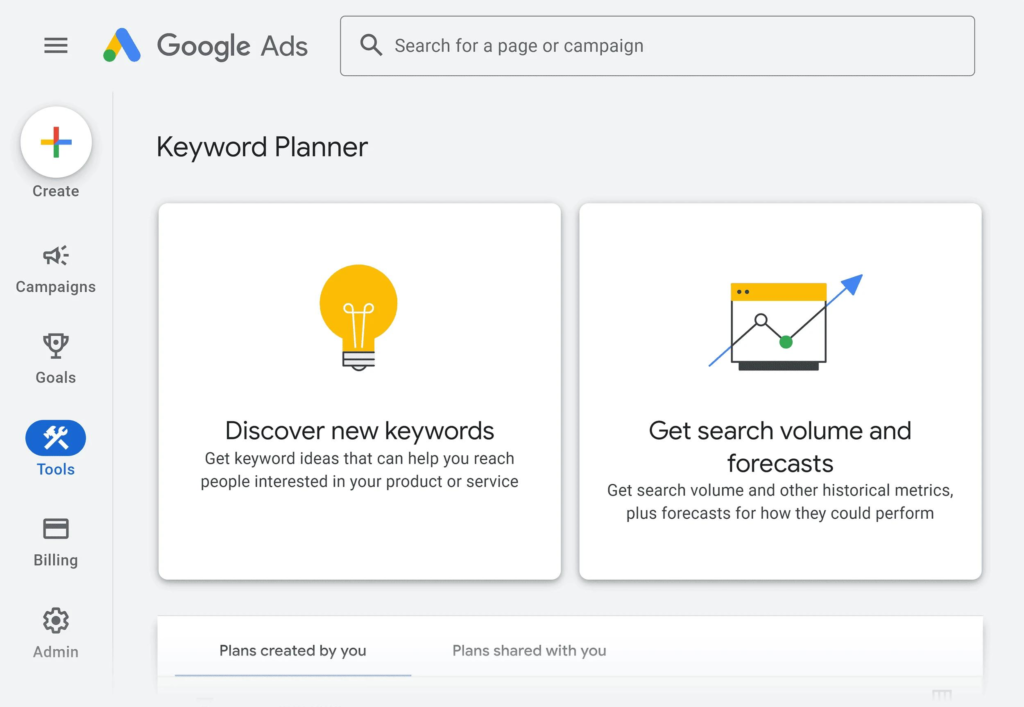
Google Keyword Planner
Best overall starting point
Website: Google Keyword Planner
Google Keyword Planner is one of the most useful free keyword research tools for discovering search terms related to products, services, and website content.
It is part of Google Ads and was originally designed to help advertisers plan search campaigns. However, SEO professionals can also use its keyword suggestions and search-demand estimates to identify potential content opportunities.
Key features:
- Discover new keyword suggestions.
- Review estimated average monthly searches.
- Compare advertiser competition.
- Explore keyword trends and bid estimates.
- Research keywords by location and language.
Advantages:
- Directly connected to Google’s advertising ecosystem.
- Useful for commercial and transactional keyword research.
- Supports location-specific research.
- Helps identify related search terms.
Limitations:
Google requires users to complete their Google Ads account setup, including billing information, to access basic keyword ideas. Search-volume figures may also appear in broad ranges rather than precise numbers, depending on account activity.
Our verdict: A strong starting point for businesses researching keywords in the UK, USA, Pakistan, UAE, and other target markets. Google Ads Help+1
2. Ahrefs Free Keyword Generator – Best for Keyword
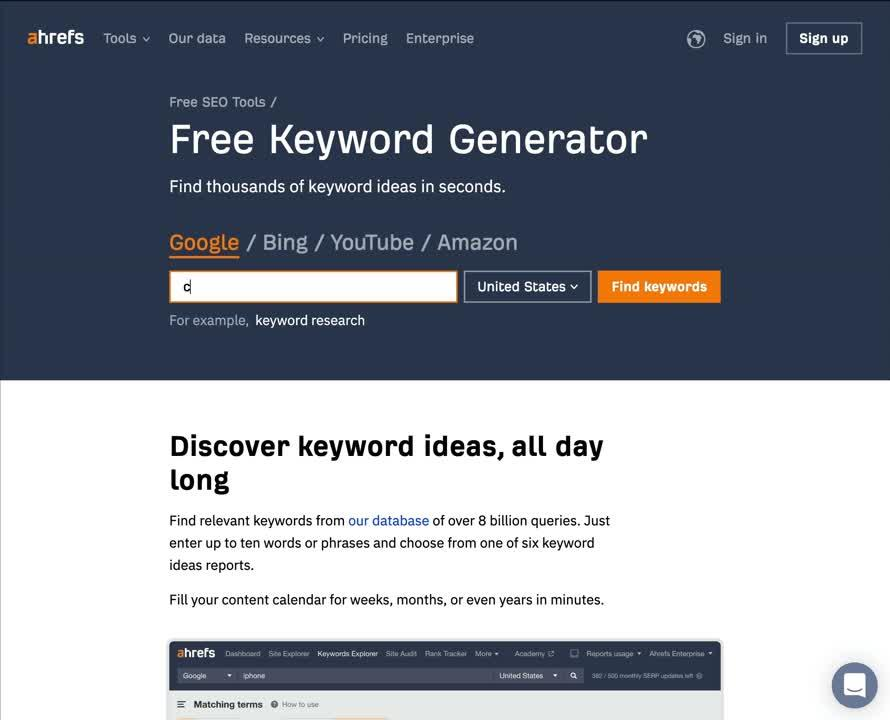
Ahrefs Free Keyword Generator
Best for keyword discovery
Website: Ahrefs Keyword Generator
Ahrefs offers a free keyword generator that helps website owners discover related search terms without purchasing a full SEO subscription.
You can enter a seed keyword and explore suggestions through different reports, including phrase matches, related keywords, and question-based searches.
Key features:
- Discover related keyword ideas.
- Find question-based search terms.
- Explore phrase-match opportunities.
- Research keywords for different search platforms.
- Review available keyword difficulty and search metrics.
Advantages:
- Useful for generating long-tail keyword ideas.
- Simple interface for beginners.
- Supports keyword discovery beyond traditional Google searches.
- No paid subscription is required for its standalone generator.
Limitations:
The free generator provides a limited selection of data compared with the complete Ahrefs platform. Advanced competitor analysis, larger reports, and deeper SEO research require additional access.
Our verdict: One of the most useful keyword research tools free of charge when you need to expand a short list of seed keywords into a broader content plan. Made by Ahrefs+2
3. Semrush Keyword Magic Tool – Best for Professional SEO Research
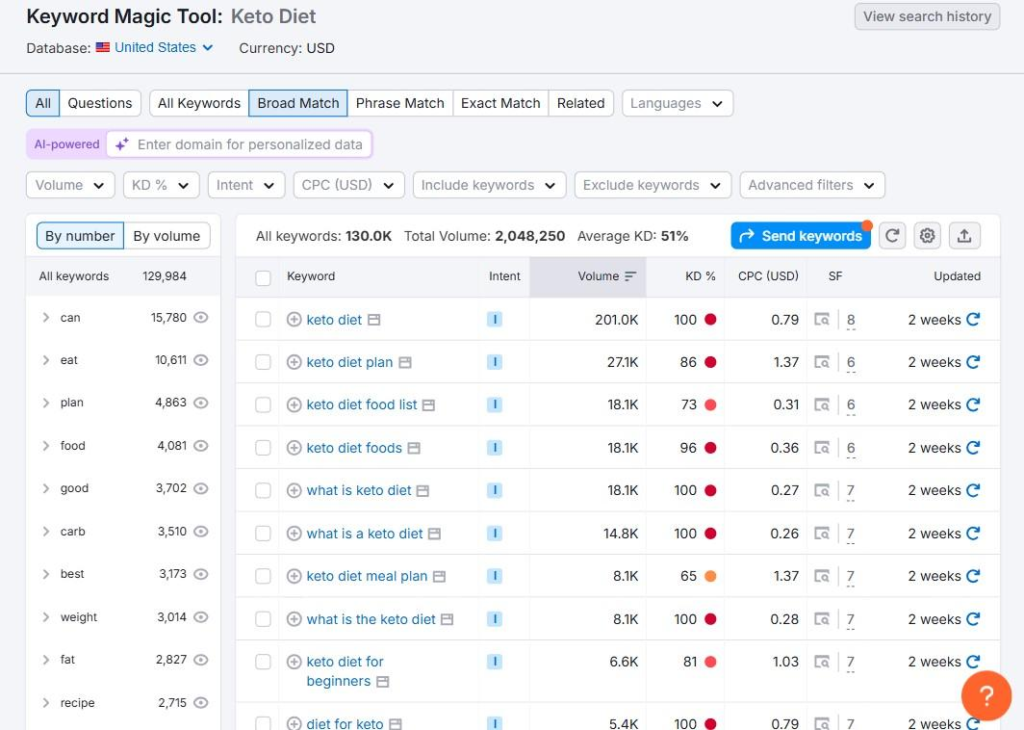
Semrush Keyword Magic Tool
Best for SEO professionals
Website: Semrush Keyword Magic Tool
Semrush is a widely used SEO platform offering keyword research, competitor analysis, backlink research, and website performance tools.
Its Keyword Magic Tool helps users discover keyword variations, identify related search terms, and organise keyword opportunities into groups.
Key features:
- Keyword suggestions and variations.
- Search-volume estimates.
- Keyword difficulty metrics.
- Question-based keyword discovery.
- Related keyword groups.
- Search intent and SERP research features, depending on access.
Advantages:
- Helpful for organising large keyword lists.
- Useful for finding niche and long-tail opportunities.
- Provides several SEO metrics in one interface.
- Suitable for professional content planning.
Limitations:
The free version is restricted. Semrush currently documents up to 10 reports per day and 10 results per report without an SEO Toolkit subscription. Advanced features and exports are unavailable on free access.
Our verdict: A useful option for marketers who want to explore professional SEO features before considering a paid subscription. Semrush
4. Google Trends – Best for Trending Keywords
Google Trends
Best for trends and seasonality
Website: Google Trends
Google Trends helps you understand how search interest changes over time. Instead of relying only on monthly search-volume estimates, you can compare topics and identify rising or declining interest.
For example, an online retailer might compare searches for winter coats, summer dresses, and running shoes to understand seasonal demand.
Key features:
- Compare multiple search terms.
- Explore regional search interest.
- Identify rising and popular related queries.
- Review historical interest.
- Discover seasonal keyword opportunities.
Advantages:
- Free access to trend analysis.
- Useful for seasonal content planning.
- Supports country and regional comparisons.
- Helps identify emerging topics.
Limitations:
Google Trends does not provide conventional absolute monthly search volumes in its Explore index. Its figures are normalised on a 0–100 scale, representing relative search interest.
Our verdict: An excellent companion to other keyword research tools free of charge, particularly when timing and search trends matter. Google for Developers+1
5. Google Search Console – Best for Existing Websites
Google Search Console
Best for existing websites
Website: Google Search Console
Google Search Console is an essential free platform for understanding how people discover your website through Google Search.
Unlike traditional keyword discovery platforms, it reveals the actual search queries that generated impressions and clicks for your verified website.
Key features:
- Discover queries generating website impressions.
- Monitor clicks and click-through rates.
- Review average search positions.
- Identify pages receiving organic traffic.
- Find keywords with visibility but limited clicks.
Advantages:
- First-party performance information for your website.
- No paid SEO subscription required.
- Excellent for identifying content improvements.
- Helps uncover keywords you may not have deliberately targeted.
Limitations:
Search Console only provides information about your own verified properties. It is not designed to estimate the total search demand for keywords across the entire market.
Our verdict: One of the most valuable keyword research tools free for website owners who already have indexed pages and want to improve existing organic rankings. Search Console Help+2
6. AnswerThePublic – Best for Questions and Long-Tail Keywords
AnswerThePublic
Best for content ideas
Website: AnswerThePublic
AnswerThePublic is designed to reveal the questions and phrases people use when searching for information online.
It is particularly useful for bloggers, content marketers, and website owners who want to understand audience questions before creating an article.
Key features:
- Discover question-based keyword ideas.
- Find comparison-related queries.
- Explore related search phrases.
- Discover conversational search patterns.
- Generate topic ideas for content calendars.
Advantages:
- Useful for finding long-tail keywords.
- Helps identify frequently asked questions.
- Supports content planning and topic clustering.
- Provides insights across several platforms.
Limitations:
The free plan currently allows three searches per day. Some keyword suggestions and search-volume information remain restricted, and free exports have limitations.
Our verdict: A useful addition to your keyword research tools free collection if your priority is creating informative articles, FAQs, and question-based content. AnswerThePublic+1
7. Ubersuggest – Best for Beginners
Ubersuggest
Best for beginners
Website: Ubersuggest
Ubersuggest offers an accessible interface for discovering keyword opportunities and exploring basic SEO metrics.
It can help beginners understand search demand, keyword competition, and related search terms without navigating a complicated professional SEO platform.
Key features:
- Keyword suggestions.
- Search-volume estimates.
- SEO difficulty information.
- Competitor research.
- Keyword visualisation.
- Basic website auditing features.
Advantages:
- Beginner-friendly dashboard.
- Combines several SEO features.
- Useful for initial keyword exploration.
- Offers a free account with ongoing limited access.
Limitations:
The free account has usage restrictions. Its current documentation lists three searches or reports per day, one project, and other feature-specific limits.
Our verdict: A reasonable starting option for beginners who want a simple SEO research experience. However, check the available free features before relying on it for large campaigns. Ubersuggest+1
Comparison Table: Which Free Keyword Tool Should You Choose?
The following table summarises the strengths and restrictions of the platforms discussed above.
| Tool | Best use | Main limitation |
|---|---|---|
| Google Keyword Planner | Search demand | Billing setup required |
| Ahrefs | Keyword ideas | Limited free data |
| Semrush | Professional SEO research | Limited reports |
| Google Trends | Trends and seasonality | Relative interest, not standard volume |
| Search Console | Existing website keywords | Your verified website only |
| AnswerThePublic | Questions and long-tail ideas | Three daily searches |
| Ubersuggest | Beginner SEO research | Three daily reports |
Free-access information reviewed on 28 November 2026. Provider restrictions may change.
How to Choose the Right Free Keyword Research Tool
Choosing between different keyword research tools free options depends on your website’s goals, experience, and available resources.
Consider the following factors before selecting a platform.
1. Understand your SEO objectives
Are you creating blog posts, optimising product pages, targeting local customers, or improving an existing website?
Different objectives require different keyword data.
For example, an online store might benefit from Google Keyword Planner, while a blogger may find AnswerThePublic more useful for discovering article ideas.
2. Check search volume
Search volume estimates help you understand potential demand. However, a high-volume keyword is not automatically the best choice.
Look for relevant keywords with realistic competition and clear search intent.
3. Analyse keyword difficulty
Keyword difficulty estimates can help you understand how challenging it may be to compete in organic search results.
However, third-party difficulty scores are estimates, not Google ranking factors or guarantees.
4. Research long-tail keywords
Long-tail phrases are more specific searches that often reveal a clearer user requirement.
For example:
- SEO tools
- Free SEO keyword research tools
- Best free keyword research tools for bloggers
- Keyword research tools free for small businesses
These variations can help you create more focused content.
5. Consider your target location
Keyword popularity can vary significantly between countries and cities.
If you target customers in Pakistan, the UK, the USA, or the UAE, configure the location filters where available.
For location-specific campaigns, explore BoostRankify’s local SEO services to understand how keyword targeting connects with local visibility.
How to Do Keyword Research for Free: A Practical Workflow
You do not need to use every platform in this comparison. Combining three or four tools can provide enough information for a practical SEO campaign.
Here is a simple workflow.
Step 1: Start with a seed keyword
Choose a phrase closely related to your product, service, or article topic.
For example, a digital marketing agency might start with:
- SEO services
- Keyword research
- Local SEO
- Website optimisation
Step 2: Generate related keywords
Use Ahrefs or Google Keyword Planner to find related search terms and variations.
Create a spreadsheet to organise your findings.
Step 3: Identify audience questions
Use AnswerThePublic to discover questions and comparisons.
These can become article headings, supporting sections, and FAQ topics.
Step 4: Check search interest
Open Google Trends and compare your selected keywords.
Look for seasonal changes, regional differences, and rising interest.
Step 5: Analyse your existing rankings
If your website is already indexed, review Google Search Console.
Identify queries that generate impressions but relatively few clicks. These may indicate opportunities to improve page titles, descriptions, content relevance, or search intent alignment.
Step 6: Group keywords by search intent
Organise your final list into four main categories:
| Search intent | Example |
|---|---|
| Informational | What is keyword research? |
| Commercial | Best keyword research tools free |
| Transactional | Hire an SEO agency |
| Navigational | Semrush login |
This organisation makes it easier to create content that answers the right questions.
Step 7: Create useful, optimised content
Choose one primary keyword for each page and use related terms naturally.
Avoid publishing multiple pages targeting exactly the same search intent. Instead, build relevant supporting content and connect related pages through contextual internal links.
If you need professional help developing a broader search strategy, explore BoostRankify’s SEO services.
Best Free Keyword Research Tools for Different Types of Websites
Not every website needs the same keyword research strategy. The right combination depends on your business model.
| Website type | Recommended combination |
|---|---|
| New blog | Ahrefs + Google Trends |
| Established blog | Search Console + AnswerThePublic |
| Ecommerce website | Keyword Planner + Ahrefs |
| Local business | Keyword Planner + Google Trends |
| SEO agency | Semrush + Ahrefs + Search Console |
| Small business | Google Keyword Planner + Ubersuggest |
For local businesses, keyword research should also include service names and location modifiers. For example, a business targeting Karachi might research phrases related to SEO services in Clifton, Saddar, or Gulshan-e-Iqbal.
You can also explore free business listing sites to understand how business listings support local search visibility.
Common Keyword Research Mistakes to Avoid
Even when using the best keyword research tools free options, incorrect keyword selection can weaken your SEO strategy.
Avoid these common mistakes:
- Choosing keywords only because of high search volume: Relevance and search intent matter more than volume alone.
- Ignoring keyword difficulty: New websites should consider realistic ranking opportunities.
- Targeting the same keyword on multiple pages: This can create unnecessary competition between your own pages.
- Ignoring long-tail keywords: Specific searches can reveal valuable content opportunities.
- Using outdated keyword data: Review current trends and refresh your research regularly.
- Ignoring local search intent: A keyword popular internationally may not reflect what customers search for in your target city.
- Overusing exact-match keywords: Write naturally rather than repeating a phrase unnecessarily.
The most effective keyword research tools free strategies combine search-demand estimates, actual website performance, audience questions, and competitor analysis.
Frequently Asked Questions
1. What are the best free keyword research tools?
Google Keyword Planner, Ahrefs Free Keyword Generator, Google Trends, and Google Search Console are among the strongest options. Each serves a different purpose, so combining them can produce better results than relying on one platform.
2. Can I do keyword research without paying?
Yes. Several keyword research tools free options provide keyword suggestions, search trends, and website performance information without a paid subscription. Some require account registration or billing details, while others offer limited daily searches.
3. Which free keyword research tool is best for beginners?
Google Keyword Planner and Ubersuggest are good starting points. Both offer accessible keyword research features that help beginners understand search demand and discover related search phrases.
4. Is Ahrefs Keyword Generator completely free?
Ahrefs provides a standalone free keyword generator that does not require a paid subscription. However, its available reports and data are more limited than those included in a paid Ahrefs account.
5. Can Google Trends show monthly keyword search volume?
Google Trends primarily displays relative search interest on a normalised 0–100 scale. It does not provide conventional absolute monthly search-volume figures in its Explore index.
6. Are free keyword research tools accurate?
They can provide useful information, but accuracy depends on the data source and metric. Search-volume figures are estimates, trends show relative interest, and keyword difficulty scores are third-party assessments. Compare multiple sources before making important SEO decisions.
7. How many keywords should I target in one blog post?
Start with one primary keyword and several closely related secondary keywords. Include relevant questions and variations where they naturally support the topic. The goal is to satisfy one clear search intent rather than force as many phrases as possible into an article.
8. Are free keyword research tools enough for a small business?
Yes. Many small businesses can build an effective initial SEO strategy using Google Keyword Planner, Google Trends, Search Console, and Ahrefs’ free tools. Paid subscriptions become more useful when research volume, competitor analysis, reporting, and automation requirements increase.
Conclusion
Choosing the right keyword research platform does not have to involve expensive subscriptions. Google Keyword Planner, Ahrefs, Semrush, Google Trends, Search Console, AnswerThePublic, and Ubersuggest all offer useful features for different SEO requirements.
The best approach is to combine keyword suggestions, search-demand estimates, audience questions, and real website performance data. This gives you a more complete understanding of what your potential customers are searching for.
If you are looking for keyword research tools free options, start with Google Keyword Planner, Google Trends, and Ahrefs. Add Google Search Console when your website begins receiving organic impressions.
Most importantly, remember that successful SEO is not simply about finding popular keywords. It is about choosing relevant search terms, understanding user intent, and publishing helpful content that deserves to rank.